
快速开始
大约 3 分钟
UIKit-Flutter 集成文档
快速开始
利用环信单群聊 UIKit,你可以轻松实现单群和群聊。Flutter 单群聊 UIKit 支持 iOS 和 Android 平台。
本文介绍如何快速实现在单聊会话中发送消息。
前提条件
开始前,请确保你的开发环境满足以下条件:
- Flutter 版本
environment:
  sdk: '>=3.0.0 <4.0.0'
  flutter: ">=3.19.0"
- 你需要添加权限:
- iOS: 在
<project root>/ios/Runner/Info.plist中添加以下权限。
  <key>NSPhotoLibraryUsageDescription</key>
  <key>NSCameraUsageDescription</key>
  <key>NSMicrophoneUsageDescription</key>
- Android:
em_chat_uikit已经在AndroidManifest.xml中添加以下权限, 你不需要再重复添加。
  <uses-permission android:name="android.permission.CAMERA" />
  <uses-permission android:name="android.permission.RECORD_AUDIO" />
  <uses-permission android:name="android.permission.WRITE_EXTERNAL_STORAGE" />
实现发送第一条单聊消息
本节介绍如何通过单群聊 UIKit 实现发送第一条单聊消息。
第一步 创建项目
flutter create chat_uikit_demo --platforms=android,ios
第二步 添加依赖
远程依赖
进入项目目录,添加最新版 em_chat_uikit:
cd chat_uikit_demo
flutter pub add em_chat_uikit
flutter pub get
本地依赖
在 Flutter 项目根目录下,在 pubspec.yaml 文件的 dependencies 部分添加 em_chat_uikit 的本地依赖。具体操作示例如下:
dependencies:
 em_chat_uikit:
  path: /Users/XXX/Workspace/Flutter/uikit_repo/easemob-uikit-flutter
提示
path 指向本地的 em_chat_uikit 目录, 支持绝对路径或相对于项目根目录的相对路径。
第三步 初始化
初始化 ChatUIKit,其中 appkey 需要替换为你自己的 App Key。
// 导入头文件
import 'package:em_chat_uikit/chat_uikit.dart';
...
void main() {
  ChatUIKit.instance
      .init(options: Options.withAppKey(appkey, autoLogin: false))
      .then((value) {
    runApp(const MyApp());
  });
}
第四步 登录
ChatUIKit 提供以下两种登录方法:用户 ID 和密码以及用户 ID 和 token。
提示
若你已集成了 IM SDK,SDK 的所有用户 ID 均可用于登录单群聊 UIKit。
ChatUIKit.instance.loginWithPassword(userId: userId, password: password);
- 使用用户 ID 和 token 登录:
在 环信控制台 创建用户,获取用户 ID 和用户 token。详见 创建用户文档。
在生产环境中,为了安全考虑,你需要在你的应用服务器集成 获取 App Token API 和 获取用户 Token API 实现获取 Token 的业务逻辑,使你的用户从你的应用服务器获取 Token。
ChatUIKit.instance.loginWithToken(userId: userId, token: token);
第五步 添加聊天页面
登录后显示聊天页面。
ChatUIKit 提供了 MessagesView,用于登录成功后显示聊天页面。
Widget build(BuildContext context) {
/// userId:接收方的用户 ID
return MessagesView(profile: ChatUIKitProfile.contact(id: userId));
}
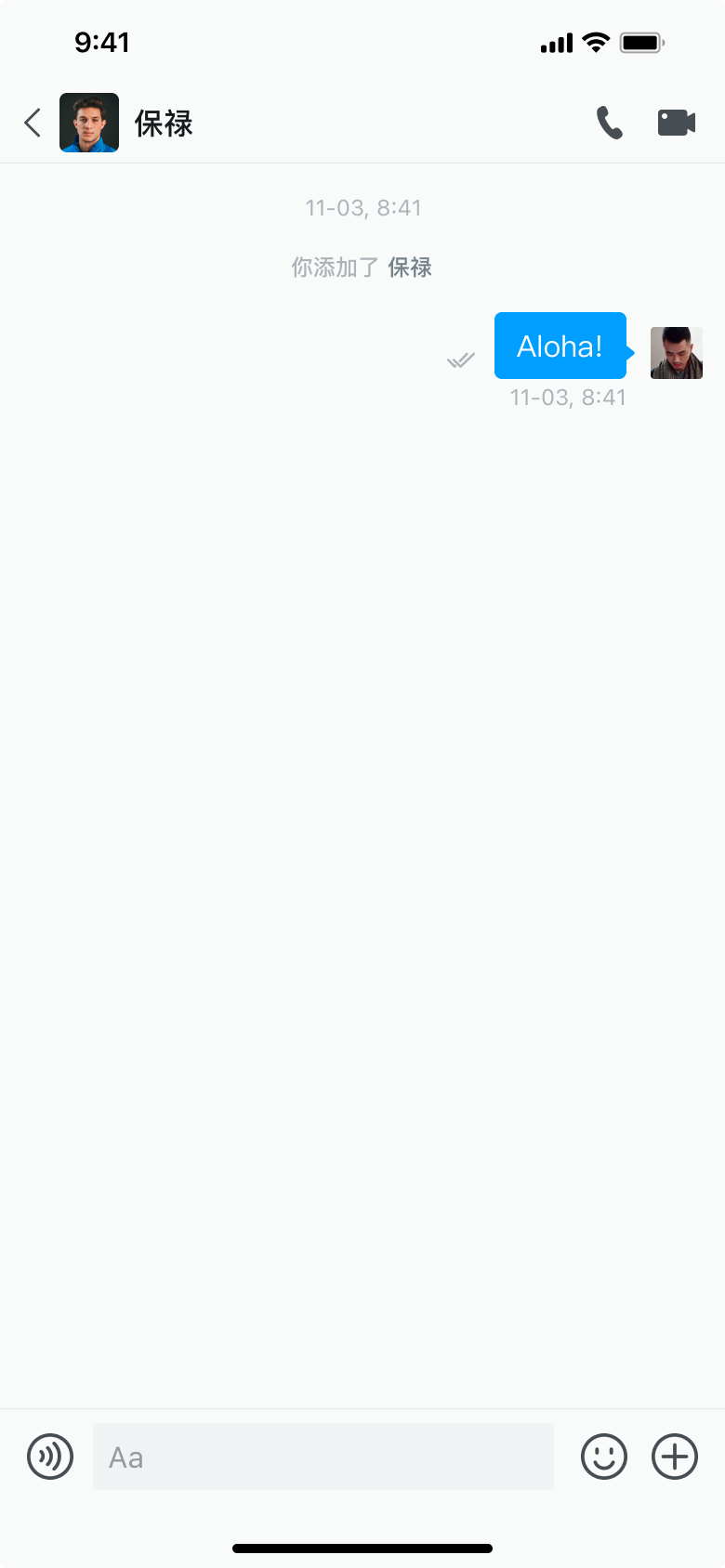
第六步 发送第一条消息
在聊天页面下方输入消息,然后点击发送按钮发送消息。
发送第一条消息
参考
快速开始整个流程的完整代码如下:
import 'package:em_chat_uikit/chat_uikit.dart';
import 'package:flutter/material.dart';
//必须填写 appkey、currentUserId、currentUserPwd 和 chatterId 常量
const appkey = '';
const currentUserId = '';
const currentUserPwd = '';
const chatterId = '';
void main() {
ChatUIKit.instance
.init(options: Options.withAppKey(appkey, autoLogin: false))
.then((value) {
runApp(const MyApp());
});
}
class MyApp extends StatefulWidget {
const MyApp({super.key});
State<MyApp> createState() => _MyAppState();
}
class _MyAppState extends State<MyApp> {
// 创建本地化实例
final ChatUIKitLocalizations _localization = ChatUIKitLocalizations();
Widget build(BuildContext context) {
return MaterialApp(
title: 'Flutter Demo',
theme: ThemeData(
colorScheme: ColorScheme.fromSeed(seedColor: Colors.deepPurple),
useMaterial3: true,
),
// 添加本地化支持
supportedLocales: _localization.supportedLocales,
localizationsDelegates: _localization.localizationsDelegates,
localeResolutionCallback: _localization.localeResolutionCallback,
locale: _localization.currentLocale,
home: const MyHomePage(title: 'Flutter Demo Home Page'),
onGenerateRoute: (settings) {
// 使用 ChatUIKitRoute 来处理路由
return ChatUIKitRoute().generateRoute(settings);
},
);
}
}
class MyHomePage extends StatefulWidget {
const MyHomePage({super.key, required this.title});
final String title;
State<MyHomePage> createState() => _MyHomePageState();
}
class _MyHomePageState extends State<MyHomePage> {
Widget build(BuildContext context) {
return Scaffold(
appBar: AppBar(
backgroundColor: Theme.of(context).colorScheme.inversePrimary,
title: Text(widget.title),
),
body: Center(
child: FutureBuilder<bool>(
future: ChatUIKit.instance.isLoginBefore(),
builder: (context, snapshot) {
// 数据未就绪时,返回空内容
if (!snapshot.hasData) {
return const SizedBox.shrink();
}
// 数据就绪后,获取登录状态
final isLoggedIn = snapshot.data!;
return Column(
mainAxisAlignment: MainAxisAlignment.center,
children: [
TextButton(
onPressed: () async {
if (await ChatUIKit.instance.isLoginBefore()) {
await ChatUIKit.instance.logout();
setState(() {});
} else {
await ChatUIKit.instance.loginWithPassword(
userId: currentUserId,
password: currentUserPwd,
);
setState(() {});
// 登录成功后自动跳转到聊天页面
if (mounted) {
ChatUIKitRoute.pushOrPushNamed(
context,
ChatUIKitRouteNames.messagesView,
MessagesViewArguments(
profile: ChatUIKitProfile.contact(id: chatterId),
),
);
}
}
},
child: isLoggedIn
? const Text('Logout')
: const Text('Login'),
),
],
);
},
),
),
);
}
}